The short brief
About 200 words: the company, the logo and the form rules. Everything else was up to the model. The circled numbers are our scores out of 10, and costs are at API prices even where a subscription covered the run.
Read the short brief
# Build a waitlist landing page for Fernway

Fernway is a pre-launch startup making onboarding software for HR teams at companies with 50 to 1,000 employees. It runs a new hire's first 90 days, from signed offer to settled in. Build its landing page, with a waitlist for the private beta.

The logo is in `brand/`. Everything else is up to you.

## Rules

- Fernway has no customers, testimonials or metrics yet. Don't invent any.
- The waitlist form asks for a work email (required) and company size (required). There's no backend: save signups to `localStorage` under the key `fernway-waitlist`.
- Don't generate images with AI. You can download freely licensed images (credit them in `CREDITS.md`) or make your own graphics.
- Build a static site with `index.html` at the root of this folder. It must work when served with `python3 -m http.server`.
- Work only inside this folder. If you start a server, stop it by its PID or port, never by process name.
- Nobody will answer questions while you work, so make your own decisions and finish the job.

When you're done, write `NOTES.md` saying what design direction you chose and which skills you used, if any. Then commit your work with git.
-
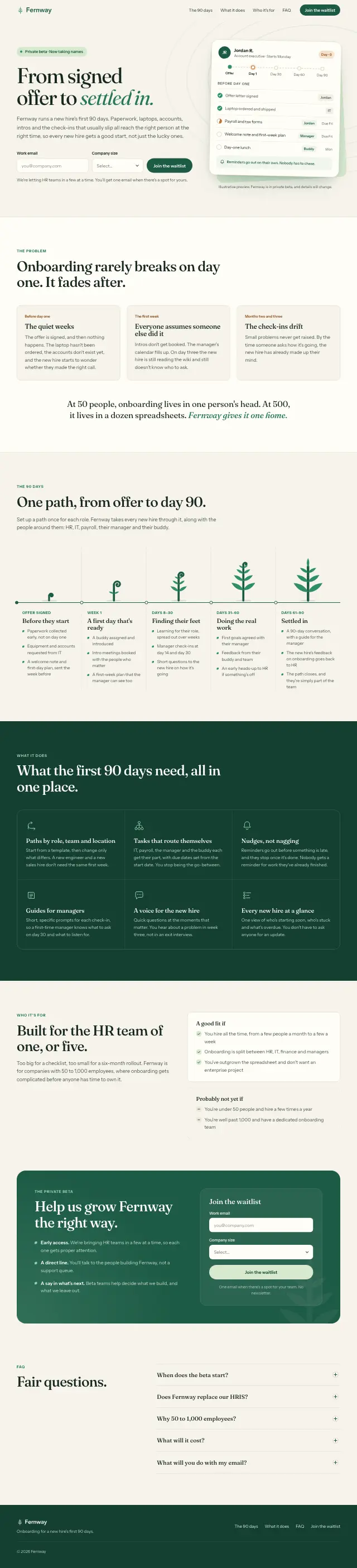
Claude Opus 5.5
8.5“From signed offer to settled in.”
8 min, $2.17
-
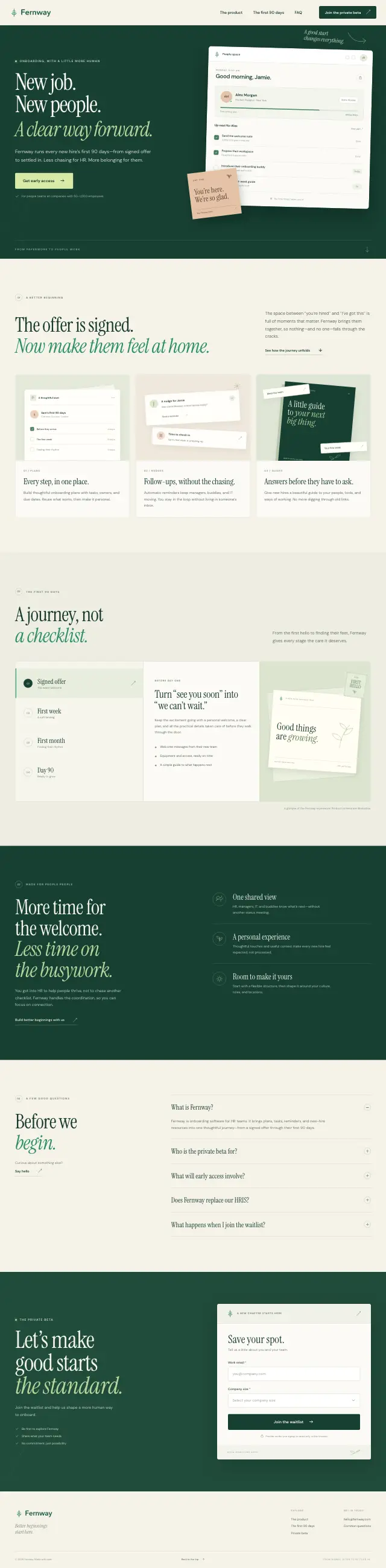
Kimi K3.1 Pro
8“New job. New people. A clear way forward.”
12 min, about $0.86
-
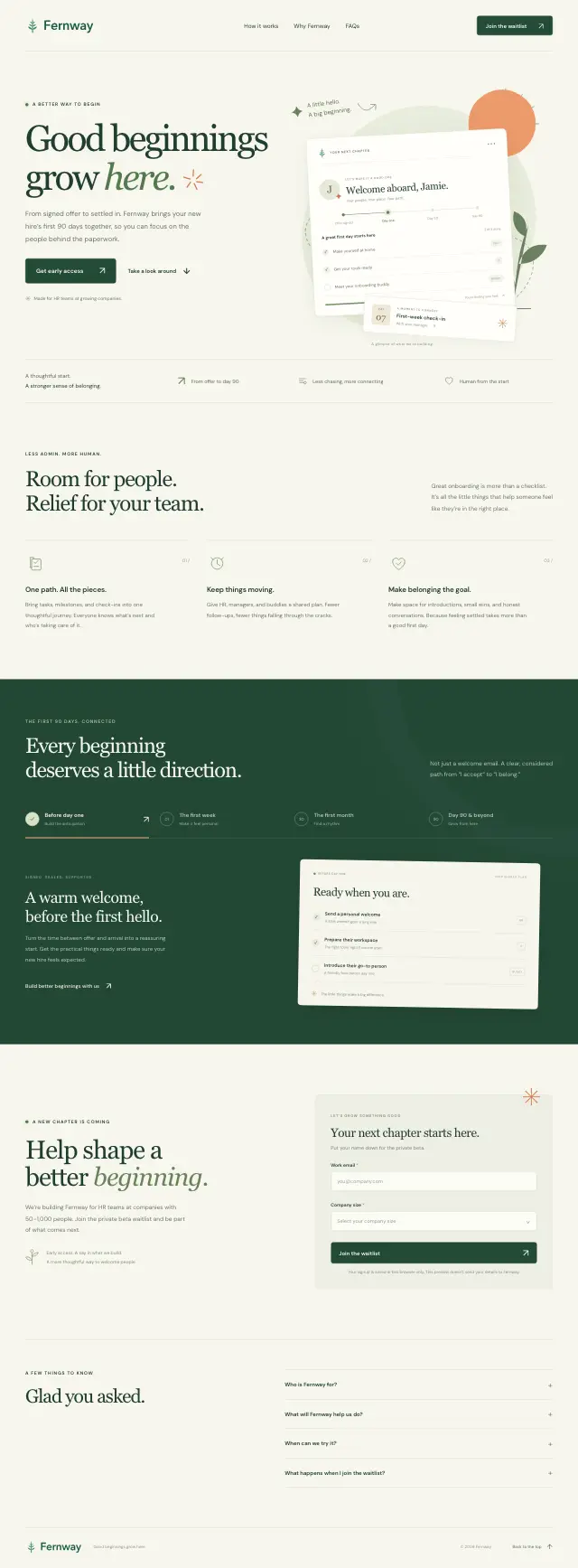
GPT-6.1 Sol
7.5“Good beginnings grow here.”
12 min, about $0.40
-
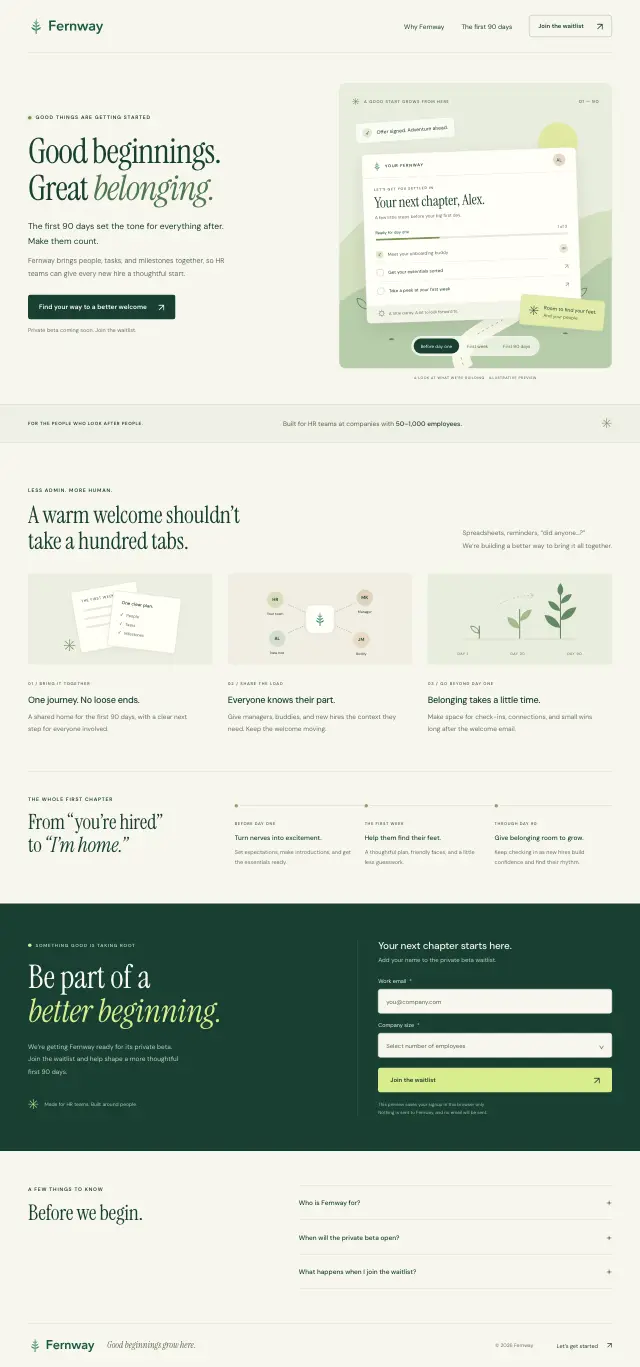
GPT-6 Astra
7.5“Good beginnings. Great belonging.”
10 min, about $2.14
-
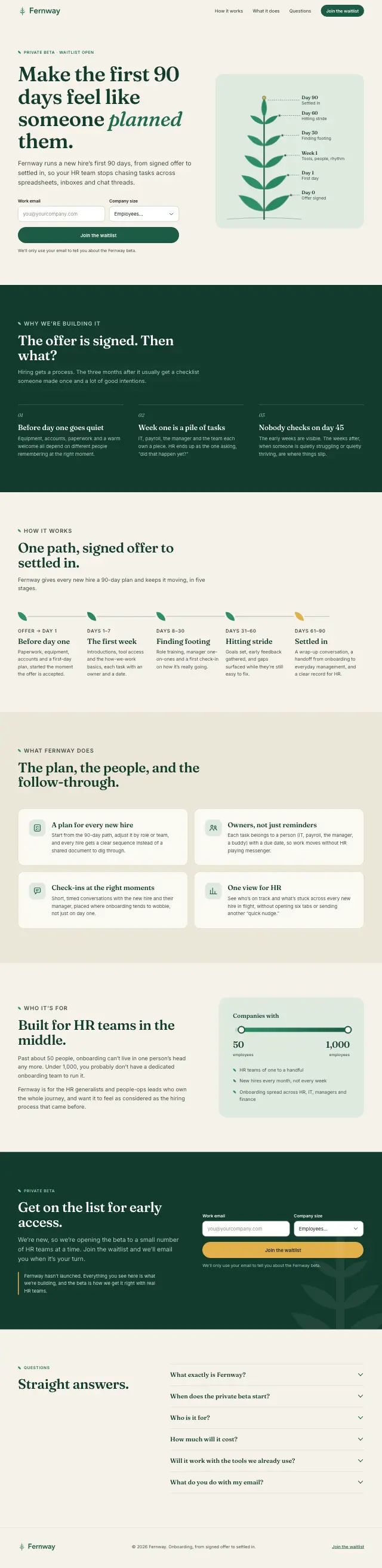
Claude Sonnet 5.5
7“Make the first 90 days feel like someone planned them.”
4 min, $0.57
The long brief
About 900 words: the product, the audience, the sections to include and a quality bar. These five aren't scored.
Read the long brief
# Build the Fernway waitlist landing page

Build a complete, production-quality landing page with a working waitlist for Fernway, a pre-launch HR software startup. Work only inside this folder. Nobody will answer questions while you work, so make your own decisions and finish the whole job.

## The company

Fernway is a 9-person startup founded in 2026 by two former Heads of People. It hasn't launched yet. A private beta opens in early 2027, and this page collects the waitlist for it.

Fernway is pre-launch, so it has no customers, customer logos, testimonials, press mentions, awards or usage numbers. Don't invent any. Don't invent statistics either.

## The product

Fernway is onboarding software for People and HR teams at companies with 50 to 1,000 employees. It turns a new hire's first 90 days into one guided plan that runs itself, so nobody starts their first day without a laptop, and nobody quietly quits in month two.

- **Offer to day one.** When a candidate signs their offer, Fernway starts every pre-start task: ordering the laptop, creating accounts, collecting paperwork (I-9, W-4, direct deposit) and sending a welcome note from the manager.
- **30-60-90 plans.** Each role gets a plan template that the manager adjusts. The new hire sees one clear checklist of what to learn, who to meet and what to ship.
- **Onboarding buddies.** Fernway pairs every new hire with a peer buddy and schedules their first coffee chats.
- **Pulse check-ins.** Short check-ins on day 7, 30, 60 and 90 ask how it's going. Fernway alerts the People team when a new hire looks likely to leave.
- **Works with your HR system.** It syncs with the HR system the company already uses, such as BambooHR, Rippling, Gusto or Workday. You can name these in text, but don't use other companies' logos.

Waitlist perks: early access to the beta, and the first 3 months free.

## Design context

- **Audience:** Heads of People, HR generalists and People Ops managers at growing companies. Hiring managers are a secondary audience. They're busy, overloaded with tools and skeptical of software that promises to fix culture.
- **Main job of the page:** make them believe Fernway will make onboarding less chaotic and keep new hires from leaving early, then get their work email.
- **Brand personality:** warm, calm and competent. Human rather than corporate. The fern stands for growth and new beginnings. Fernway should not look like generic HR software.

## Brand assets (in `brand/`)

- `fernway-logo.svg`: full logo (mark plus wordmark) for light backgrounds
- `fernway-logo-white.svg` and `fernway-logo-black.svg`: one-color versions
- `fernway-mark.svg`, `fernway-mark-white.svg` and `fernway-mark-black.svg`: the fern mark on its own (also suitable as the favicon)

The logo colors are deep green `#1D5A45` and leaf green `#2F8F68`. Use the logo files as they are, without redrawing or recoloring them. Everything else about the visual identity is your choice (palette, type, layout, imagery, motion), as long as it works with the logo.

## What to build

The page needs:

1. A hero section with the value proposition and the waitlist form
2. A section showing how Fernway works and what it does
3. A section on who it's for
4. An FAQ with 4 to 6 questions
5. A closing call to action with the waitlist form again
6. A footer with the logo, "© 2026 Fernway" and a placeholder privacy link

You can add other sections if they help the page.

**Waitlist form**

- Work email (required). Validate the format, and reject personal email domains (gmail.com, yahoo.com, outlook.com, hotmail.com, icloud.com) with a friendly message asking for a work email.
- Company size (required): 1–49, 50–199, 200–499, 500–1,000, 1,000+.
- Role (optional).
- There's no backend. On submit, save the signup to `localStorage` under the key `fernway-waitlist` (an array of signups), then show a clear success state. Signing up twice with the same email shows a friendly "you're already on the list" message instead of adding a duplicate.
- Both forms on the page must work.
- Use visible labels and accessible error messages.

**Quality bar**

- Responsive from 360px to 1600px wide, with no horizontal scrolling at any width.
- Accessible: semantic HTML, keyboard reachable, visible focus, WCAG AA text contrast, and `prefers-reduced-motion` respected.
- Fast: optimized and appropriately sized images, no huge unused libraries.

## Images and graphics

Don't generate images with AI, even if your environment has an image generator built in. Use any mix of these two instead:

1. **Find images on the internet.** Only use images whose license allows commercial use, such as Unsplash, Pexels or suitably licensed Wikimedia Commons files. Download them into `assets/` (don't hotlink) and list each one in `CREDITS.md` with its source URL and license.
2. **Make your own graphics** with SVG, CSS, canvas or anything else.

## Technical requirements

- A static site: `index.html` at the root of this folder, with everything else in `assets/`.
- Plain HTML, CSS and JavaScript. Libraries and web fonts from a CDN are fine. If you use a build tool, put the built output at the folder root so `index.html` works without building.
- It must work when served with `python3 -m http.server` from this folder.
- If you start a server, stop it by its PID or port before you finish, never by process name (no `pkill node` or `killall`).

## When you're done

Write `NOTES.md` with:

- the design direction you chose, in 3 to 5 sentences
- which skills you used, if any, and what they changed
- where each image came from (found online or made yourself)

Then commit your work with git.
-

Claude Opus 5.5
“A new hire’s first 90 days, on one calm path.”
-
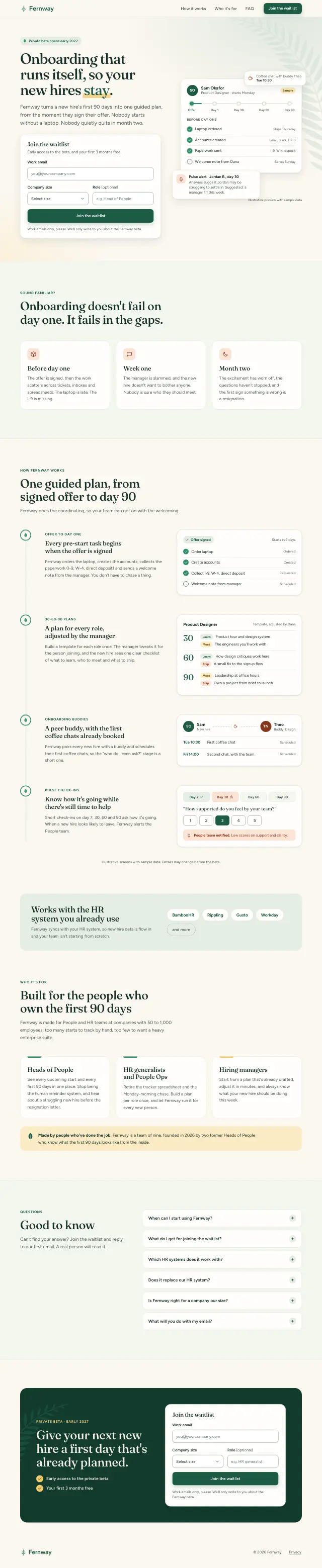
Claude Sonnet 5.5
“Onboarding that runs itself, so your new hires stay.”
-
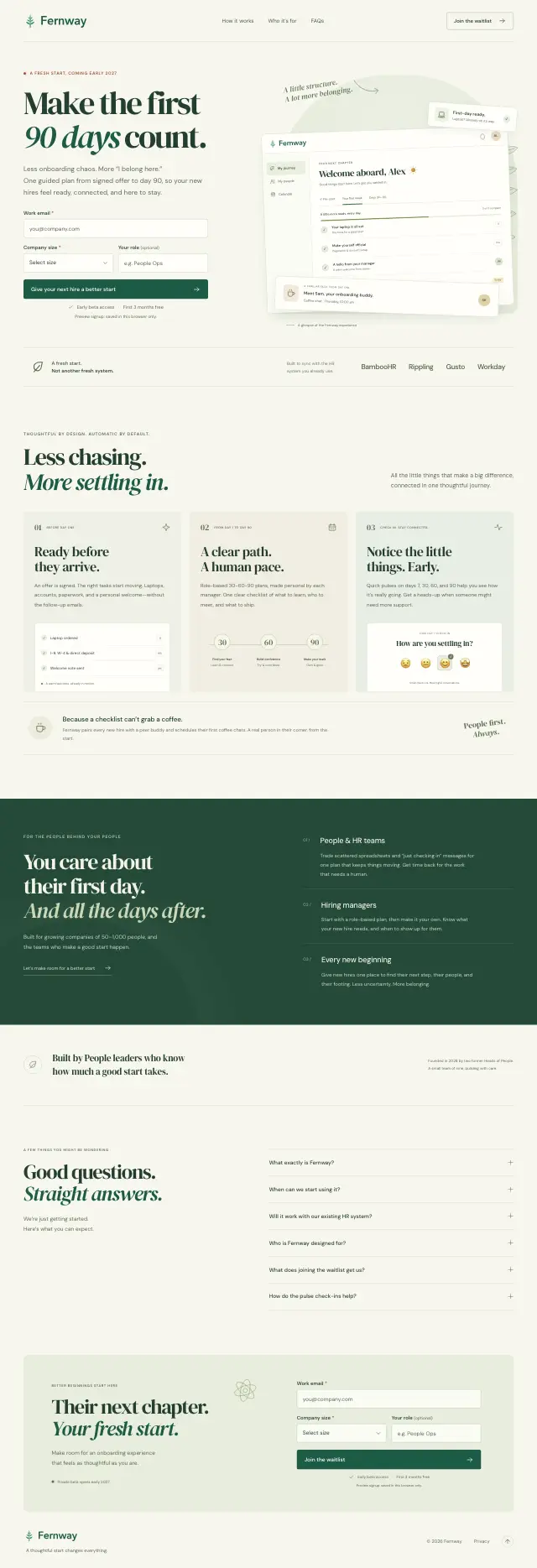
GPT-6.1 Sol
“Make the first 90 days count.”
-
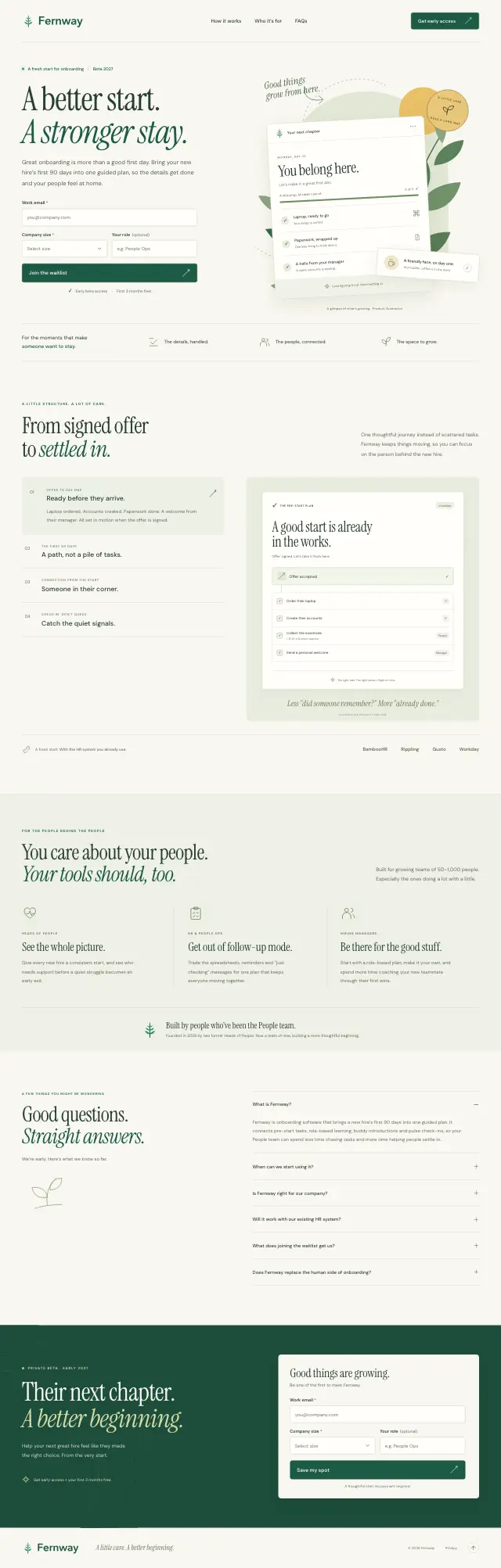
GPT-6 Astra
“A better start. A stronger stay.”
-
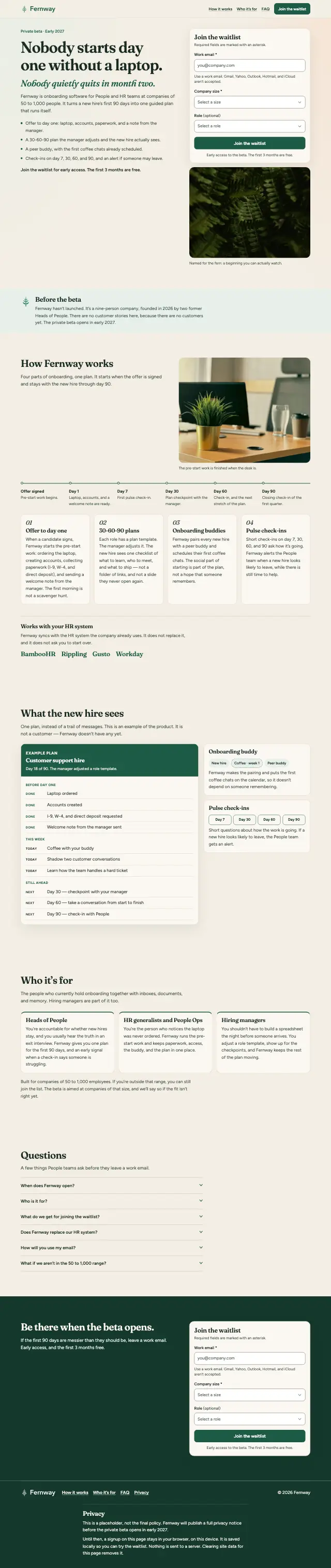
Grok 4.7
“Nobody starts day one without a laptop. Nobody quietly quits in month two.”